
How to get started with SocialGuyVJ
From signing up to your first post going live, here is exactly what happens and what we need from you. About 15 minutes of your time, and your first post is live within 5 business days.
- 15 minutes of your time to set up
- 5 business days to your first post
- 5-day free trial cancel any time
Helping 250+ brands worldwide since 2022
Everything in one dashboard
You do not need ten tools or a long email thread. Your client dashboard keeps it all in one place, and it works on your phone.
Approve posts
See each post exactly as it will look, then approve in one click or ask for changes.
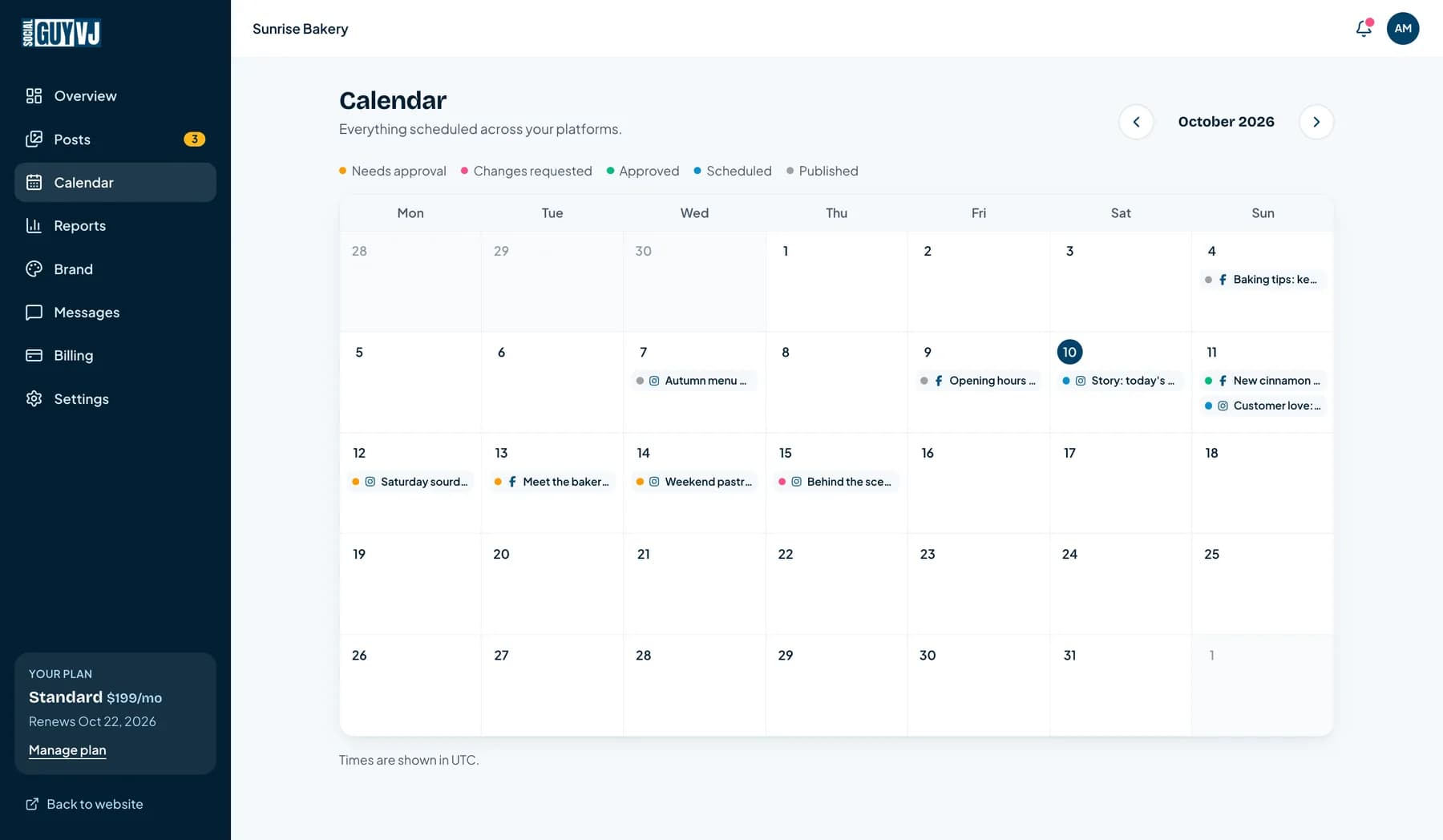
Content calendar
A month of content on one page, colour-coded by status.
Brand kit
Colours, logo, guidelines and files, all in one place.
Connected accounts
Connect once through each platform's own sign-in. No passwords shared.
Monthly reports
A clear summary of how your social media is performing.
Messages and billing
Talk to your account manager, and manage your plan, in the same dashboard.
Before you start
Have these ready and the whole setup takes about 15 minutes. If you are missing something, start anyway: you can add it later.
- A business emailThis is where we send your login link and your sign-in codes.
- Admin access to your Facebook PageYou will sign in on Facebook's own page to connect it. We never see your password.
- Your logo and brand filesAny logo, brand guidelines, photos or a ZIP of your brand kit. Incomplete is fine.
- A rough idea of your goalsMore weekend orders, more enquiries, more followers. One sentence is enough.
What happens, and when
- Day 1
1. You sign up and set up
Start the trial, add your brand details and kit, and connect your accounts. About 15 minutes.
- Days 1 to 3
2. We plan your first calendar
Your account manager reviews your brand, plans your first posts and creates them.
- Days 3 to 4
3. Posts arrive for your approval
You review each post in your dashboard and approve it, or ask for changes.
- By business day 5
4. Your first post goes live
Approved posts publish on schedule, and your dashboard shows them as Published.
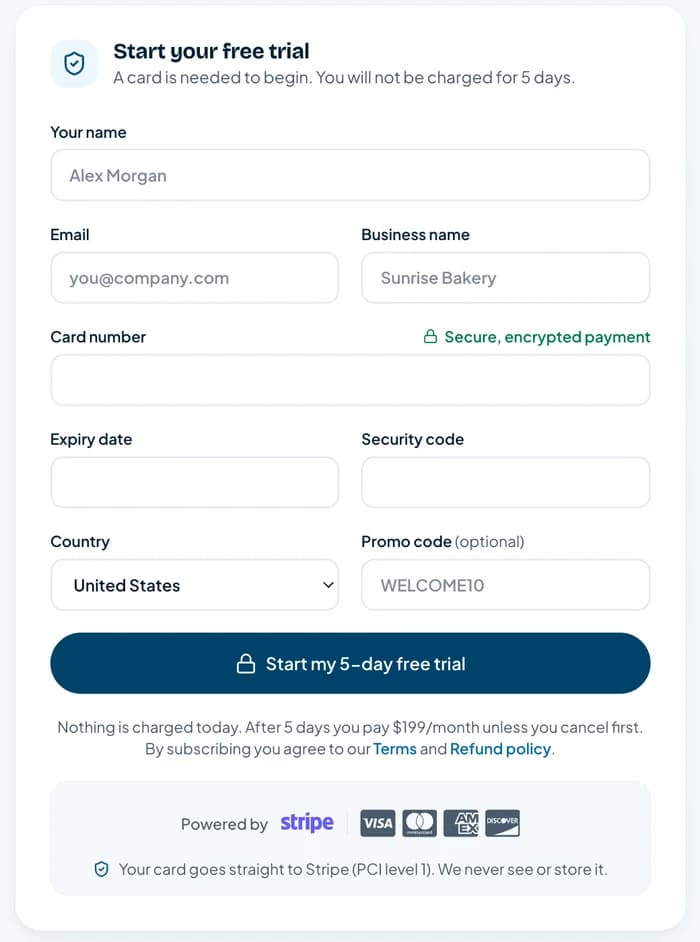
Start your free trial
Pick the plan that fits and start your 5-day free trial. A card is needed to begin, but nothing is charged during the trial and you can cancel any time before it ends.
- Choose Basic, Standard or Premium, and change it later if you need to
- Payment is handled by Stripe, so your card details never touch our servers
- Have a promo code? Add it on this page
Check your email and sign in
We email you a link to choose your password. That opens your own client dashboard, the one place for everything from here on.
- Sign in with your email and password
- You will get a 6-digit code by email on a new device, as a second lock on your account
- Use it on your phone too: the dashboard works on any screen
Tell us about your brand
A short questionnaire covers your goals, your audience, the tone you want and the platforms you use. Two minutes here means your first posts sound like you, not like a template.
- You can add more detail any time on the Brand page
- The more specific you are, the less editing there is later
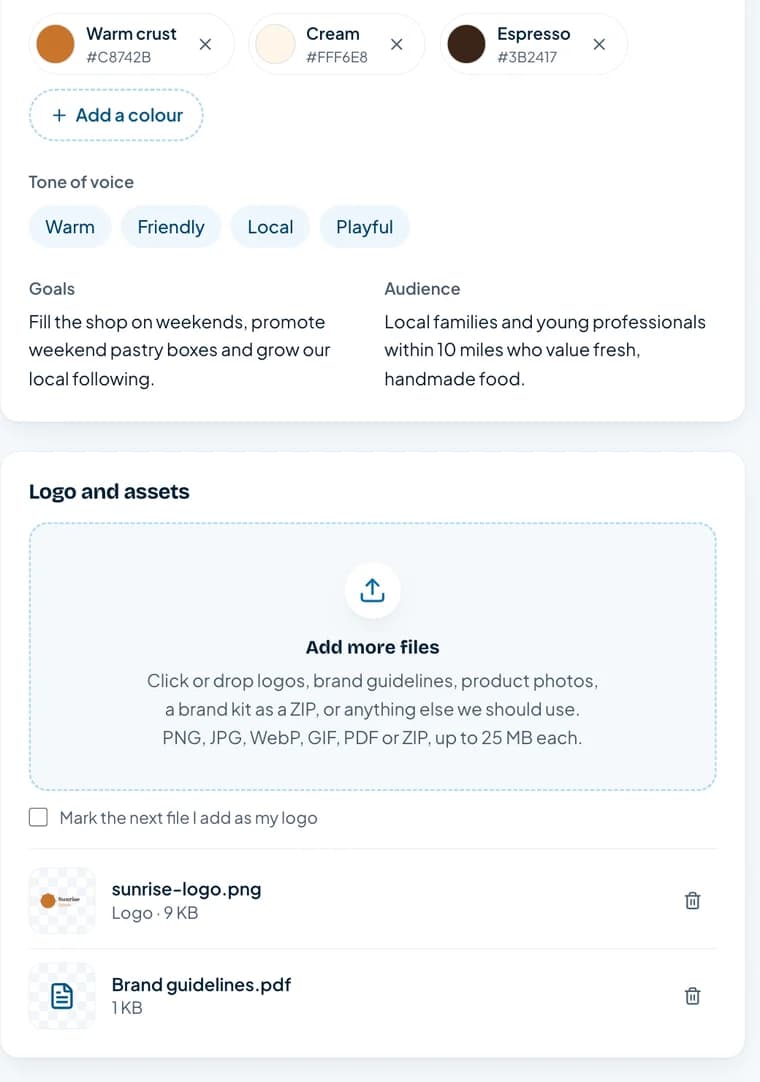
Add your brand kit, all in one place
The Brand page keeps everything we need to make content that looks like your business. Add it once and your whole team, and ours, always works from the latest version.
- Brand colours: add each colour with a name, and remove it any time
- Your logo, plus brand guidelines, product photos or a full brand kit as a ZIP
- PNG, JPG, WebP, GIF, PDF or ZIP, up to 25 MB each. Your files stay private to you and your account team
Connect your social accounts
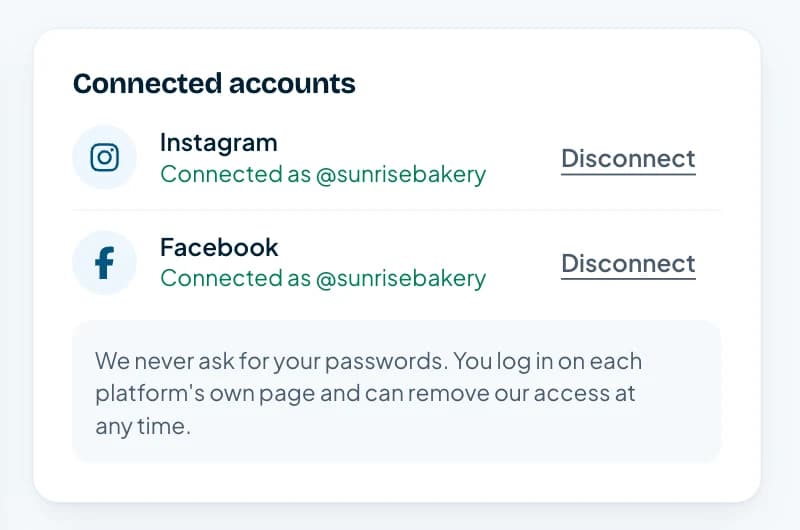
From the same Brand page, connect your accounts by signing in on the platform's own secure page. You never send us a password, and your account stays connected from then on.
- Facebook is available to connect now. We add other platforms to the same screen as they go live, and your account manager can help with those in the meantime
- You need to be an admin of the Facebook Page you want us to post to
- Remove our access whenever you like, from your dashboard or from the platform
Book your onboarding call (optional)
A short call to meet your account manager and agree your first content calendar. It is optional, but it is the quickest way to get exactly what you want in your first week.
- Book a time that suits you from the welcome page or your dashboard
- Prefer to do it all in writing? Message your account manager from the dashboard instead
Approve your first posts
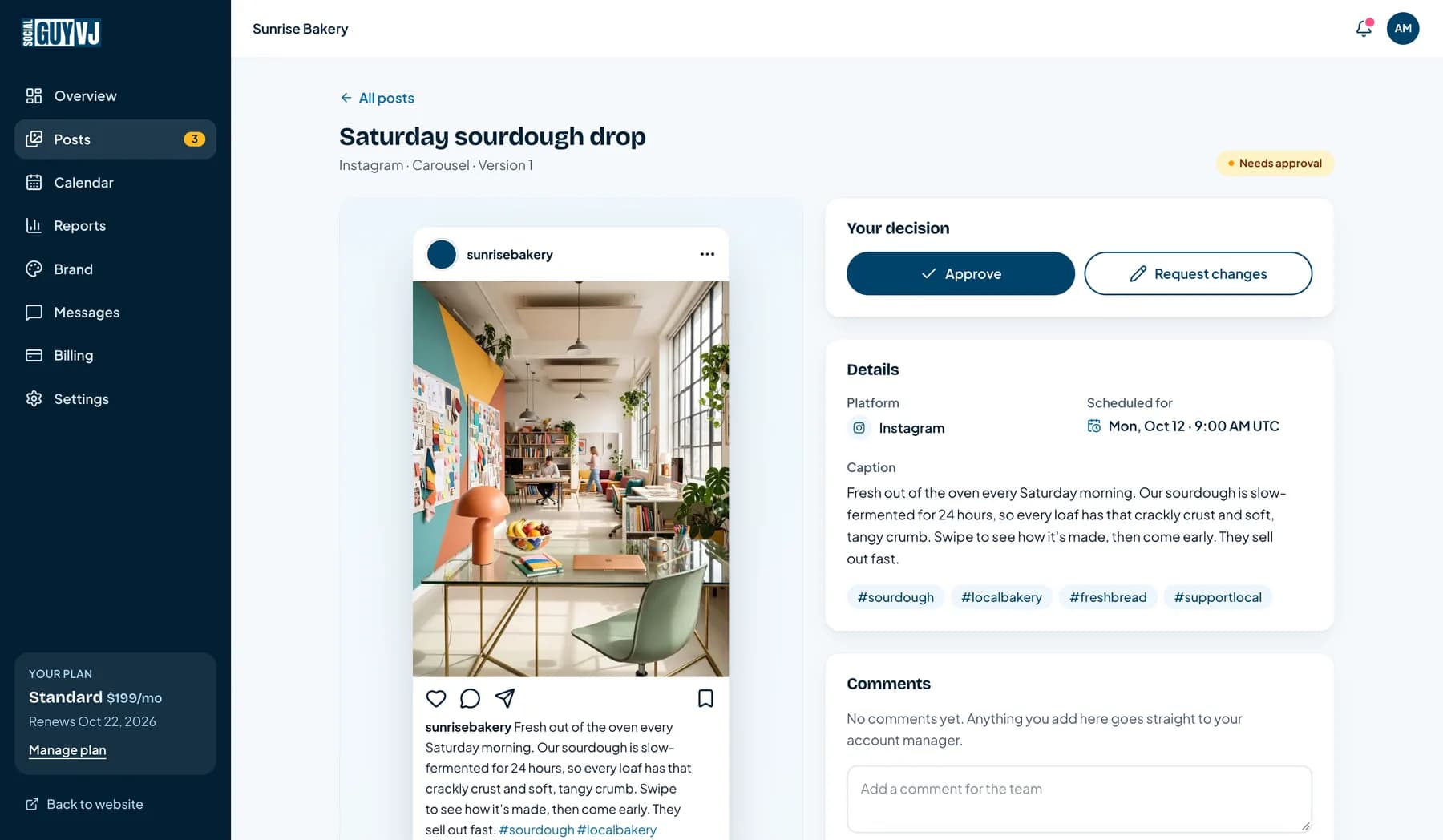
Within a few business days your first posts land in your dashboard. You see exactly how each one will look on the platform, then approve it in one click or ask for changes with a comment.
- Nothing is ever published without your approval
- Request changes and we update the post for you, with unlimited revisions
- You get an email when new content is ready
Your first post goes live
Approved posts are scheduled and publish automatically at the time shown on your calendar. The status changes to Published by itself, so you never have to chase anyone to find out whether it went out.
- Your content calendar shows everything scheduled for the month, colour-coded by status
- At the end of the month, a plain-English report shows how your social media is doing
- Message your account manager from the dashboard whenever you need something
A checklist inside your dashboard keeps you on track
As soon as you sign in, a Getting started checklist shows what is done and what is next. It ticks itself off as you go, so there is nothing to remember and nothing to manage.
Getting started
2 of 5 done. Your first post goes live within 5 business days of signing up.
- Tell us about your brand
- Add your logo and brand colours
- 3Connect your social accountsSign in on each platform's own page. We never see your password.
- 4Approve your first postReview how it will look, then approve it or ask for changes.
- 5See your first post go liveApproved posts publish on schedule, and show as Published here.
An example of what you will see in your dashboard.
Questions about getting started
Can't find your answer? Book a free call and ask us directly.
How long until my first post is live?
Within 5 business days of signing up. The quickest route is to finish your brand details, brand kit and account connection on day one, and approve your first posts as soon as they arrive.
Do I have to share my social media passwords?
No. You connect each account from the Brand page by signing in on the platform's own secure page. We never see or store your password, and you can remove our access at any time.
What do I need before I start?
A business email, admin access to the Facebook Page you want us to post to, and your logo and any brand files you have. Do not worry if your brand kit is incomplete: you can add to it any time.
What if my account does not appear when I try to connect it?
Make sure you are signed in to Facebook with the account that manages the Page, and that you ticked the Page when Facebook asked which ones to share. If it still does not appear, message your account manager from the dashboard and we will sort it out with you.
What file types can I upload to my brand kit?
PNG, JPG, WebP and GIF images, PDFs and ZIP files, up to 25 MB each. For fonts and design files, put them in a ZIP.
Can I change my brand colours or files later?
Yes. Open the Brand page any time to add or remove colours and files. We always work from the latest version.
Will anything be posted without my approval?
No. Every post waits for your approval first. Only approved posts are scheduled.
What happens when the 5-day trial ends?
Your plan starts and your card is charged for the first month, unless you cancel before the trial ends. You can cancel from your Billing page.
Ready to see your first post go live?
Start your 5-day free trial. Setup takes about 15 minutes, and your first post is live within 5 business days.
Helping 250+ brands worldwide since 2022